

Overview
Connect Okta from the Asymptote dashboard to automatically populate the users, groups, and devices tabs.Connect Okta
- Log in to the Asymptote dashboard.
- Go to Connectors.
- Find the Okta integration.
- Click Connect.
- Enter your Okta org URL.
- Enter your Okta API token.
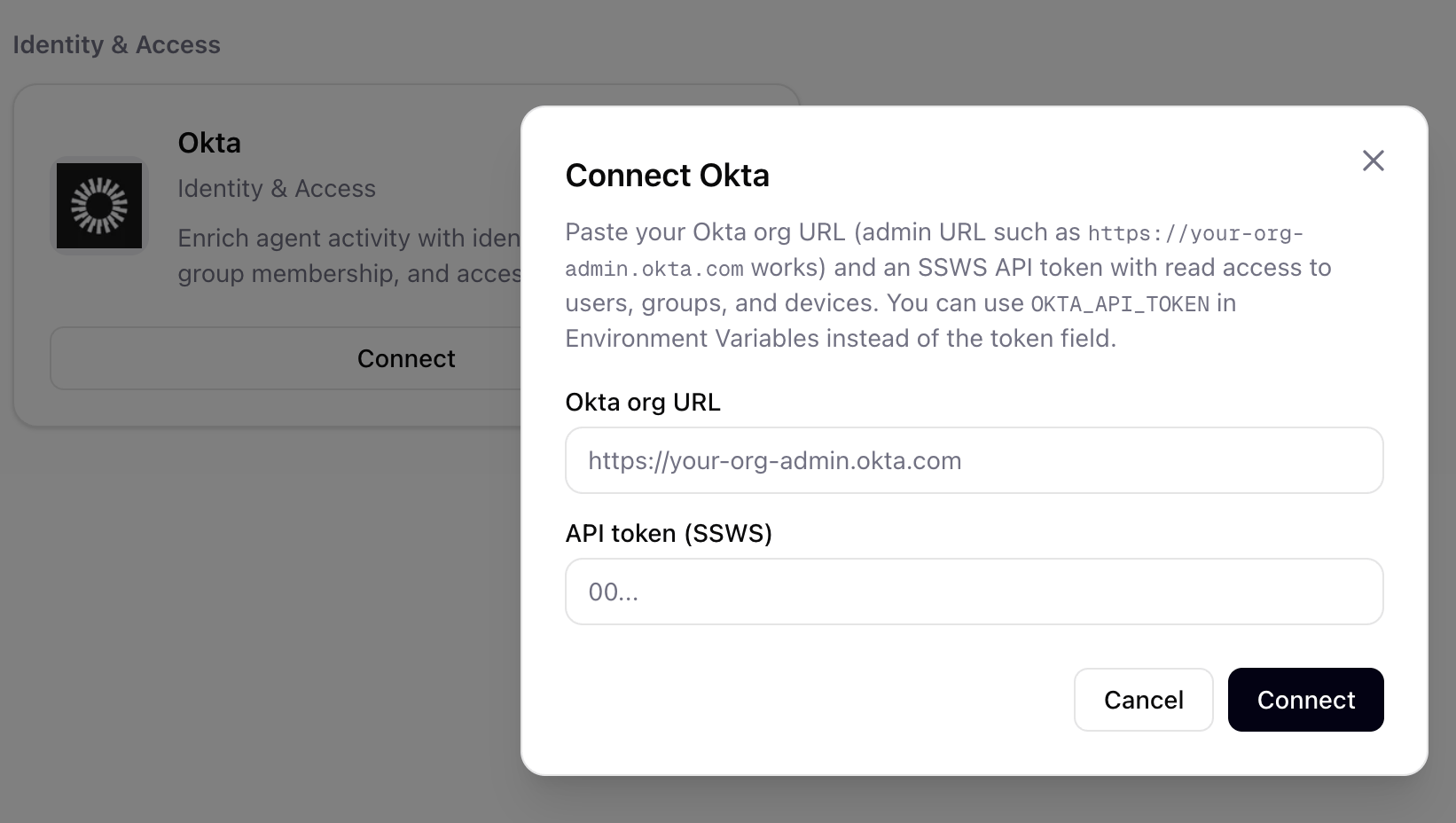
Use the Okta connector setup flow in the Asymptote dashboard to enter your Okta org URL and API token.
Generate an Okta API token
Create the Okta API token from the Okta Admin Console:- Go to Security.
- Open API.
- Select Tokens.
- Click Create token.
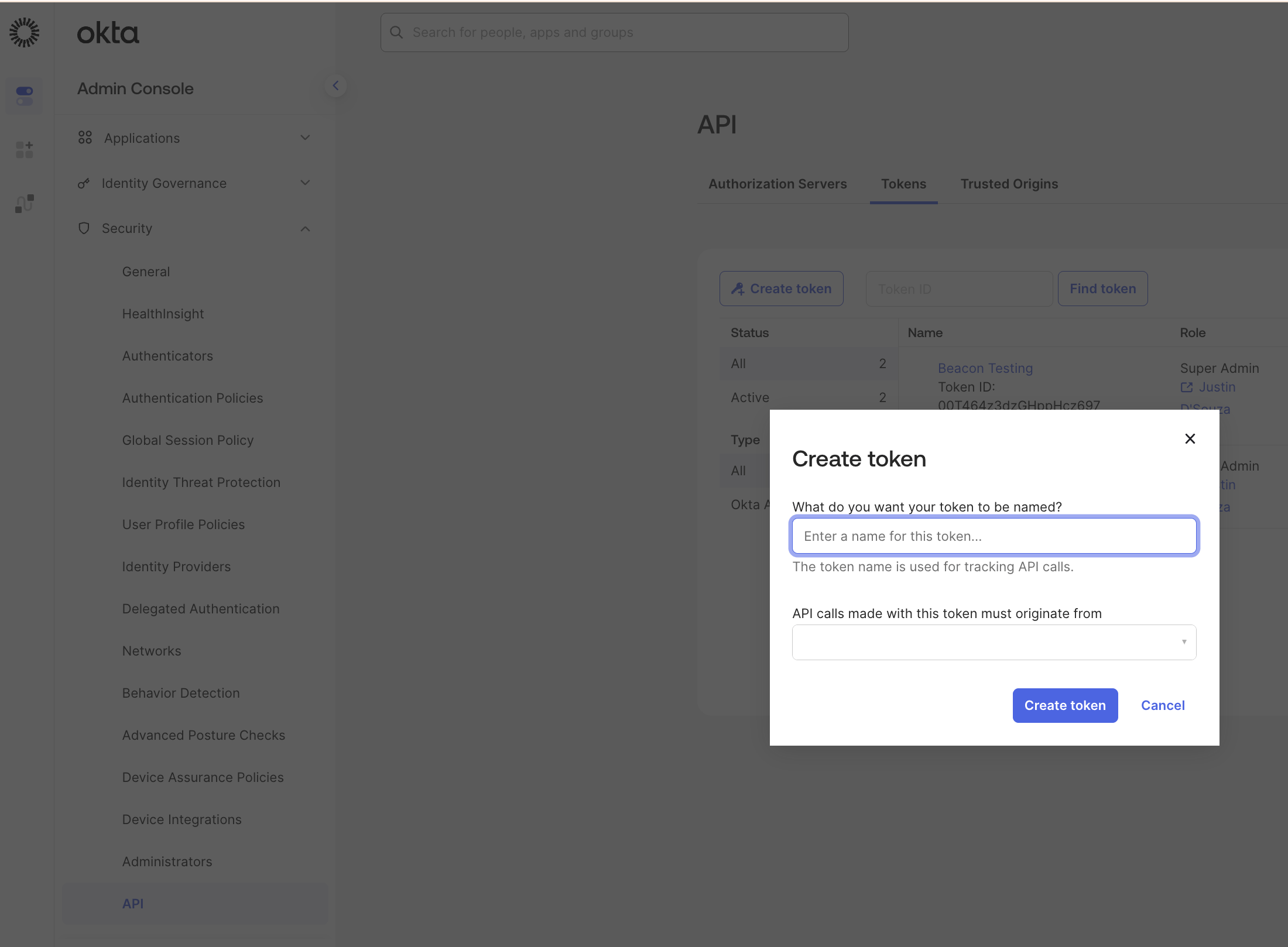
Generate the API token from the Okta Admin Console before returning to the Asymptote connector setup.