

Forwarding overview
Beaconv0.0.25 added Rapid7 InsightIDR support for teams that want Beacon endpoint events in Rapid7 Log Search and investigations. Current Beacon releases write one local source of truth, the active runtime JSONL log, and keep that handoff path bounded with local rotation. Your customer-managed shipper or deployment tooling owns Rapid7 webhook URLs, checkpointing, rotation handling, and retries.
Use this path when you want Beacon events forwarded to a Rapid7 InsightIDR Custom Logs webhook event source without storing Rapid7 webhook URLs in Beacon endpoint configuration.
Runtime log paths
Use system mode for MDM deployments so your shipper can tail
/var/log/beacon-agent/runtime.jsonl without per-user home directory permissions.
Rapid7 setup
Create a Rapid7 InsightIDR Custom Logs event source with the Webhook collection method.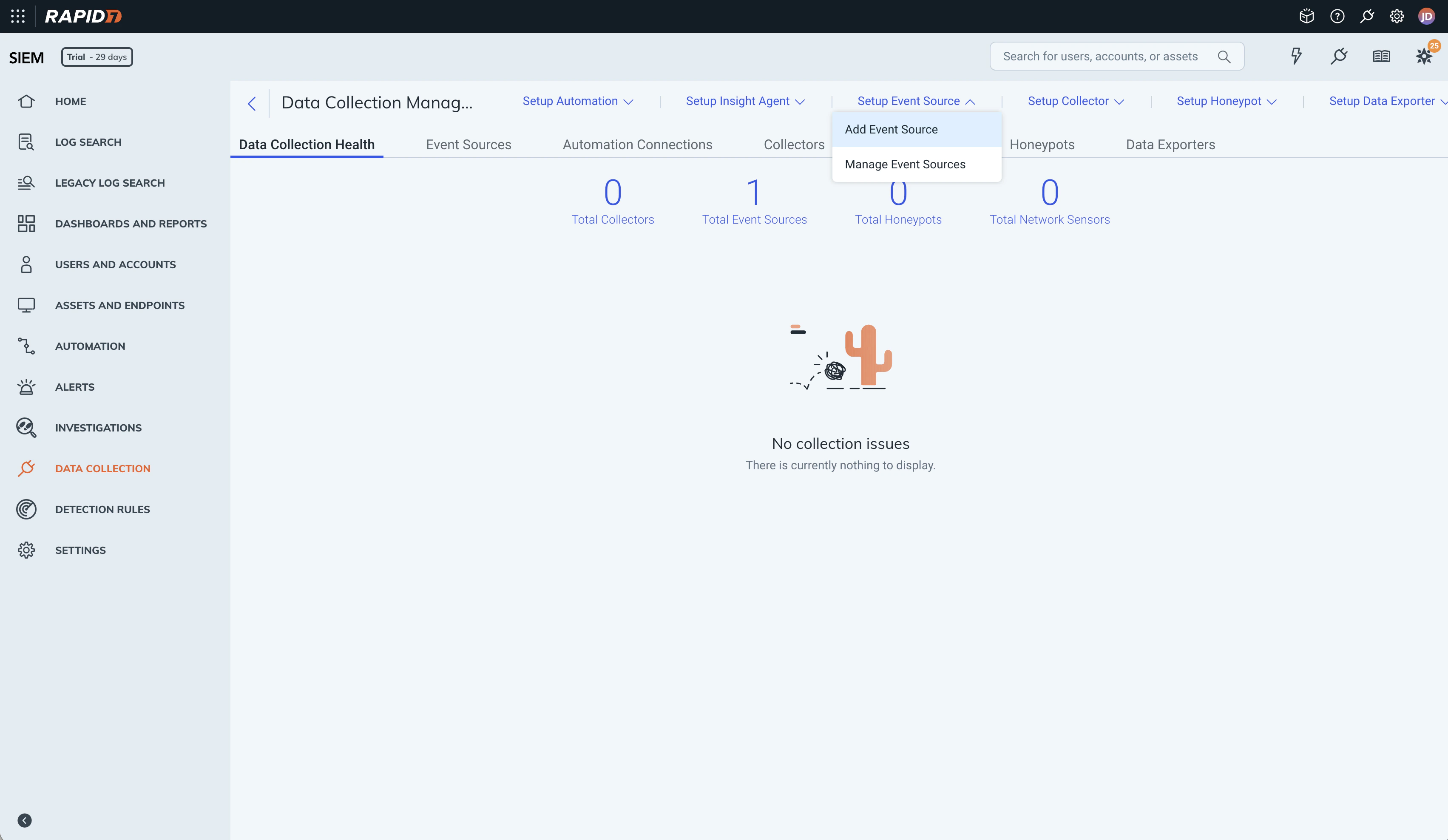
Add a new Rapid7 InsightIDR event source for Beacon endpoint telemetry.
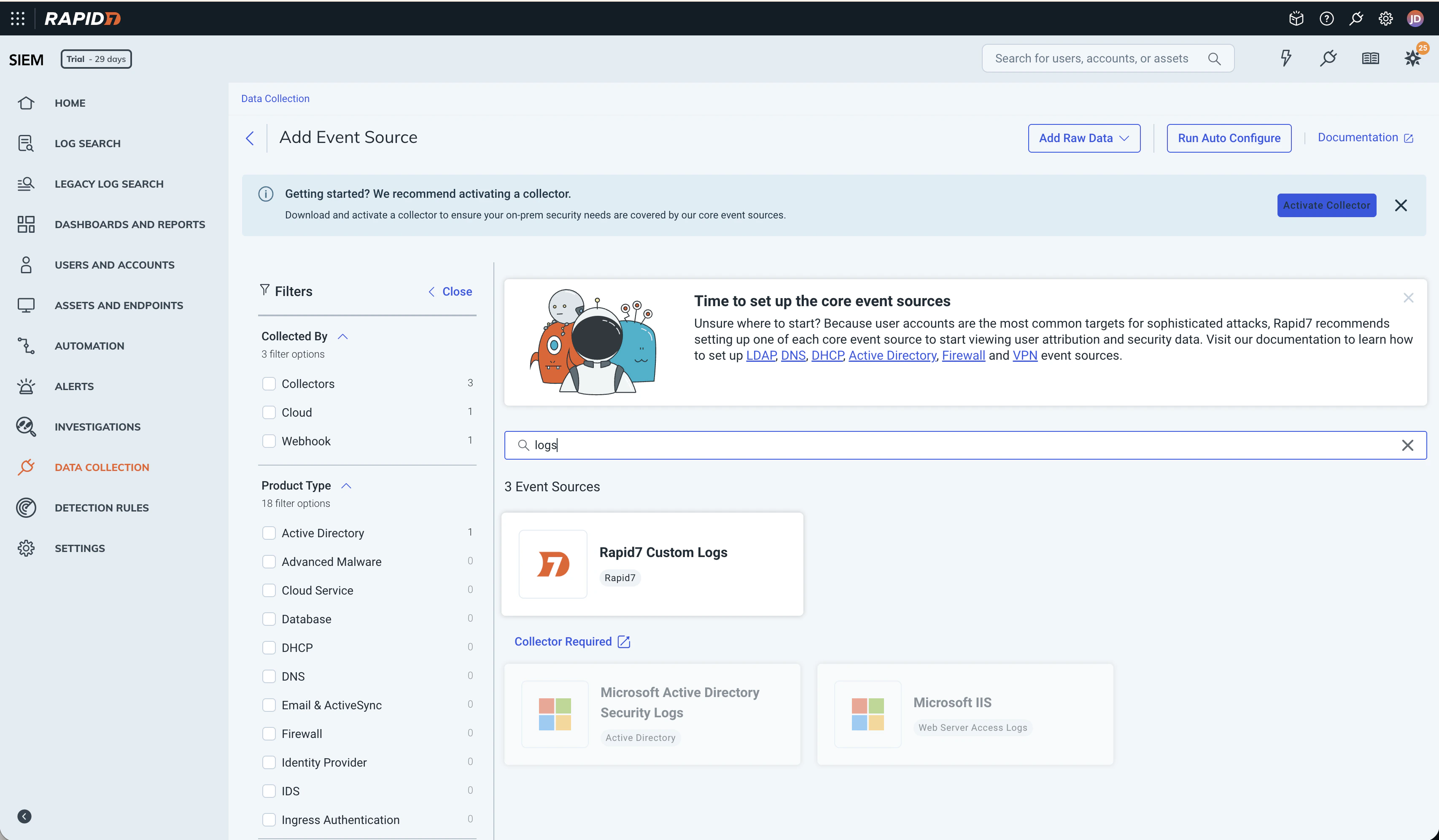
Choose Raw Data > Custom Logs for the Beacon event source.
RAPID7_WEBHOOK_URL for smoke testing or in your customer-managed forwarder. Avoid committing it to endpoint configuration or source control.
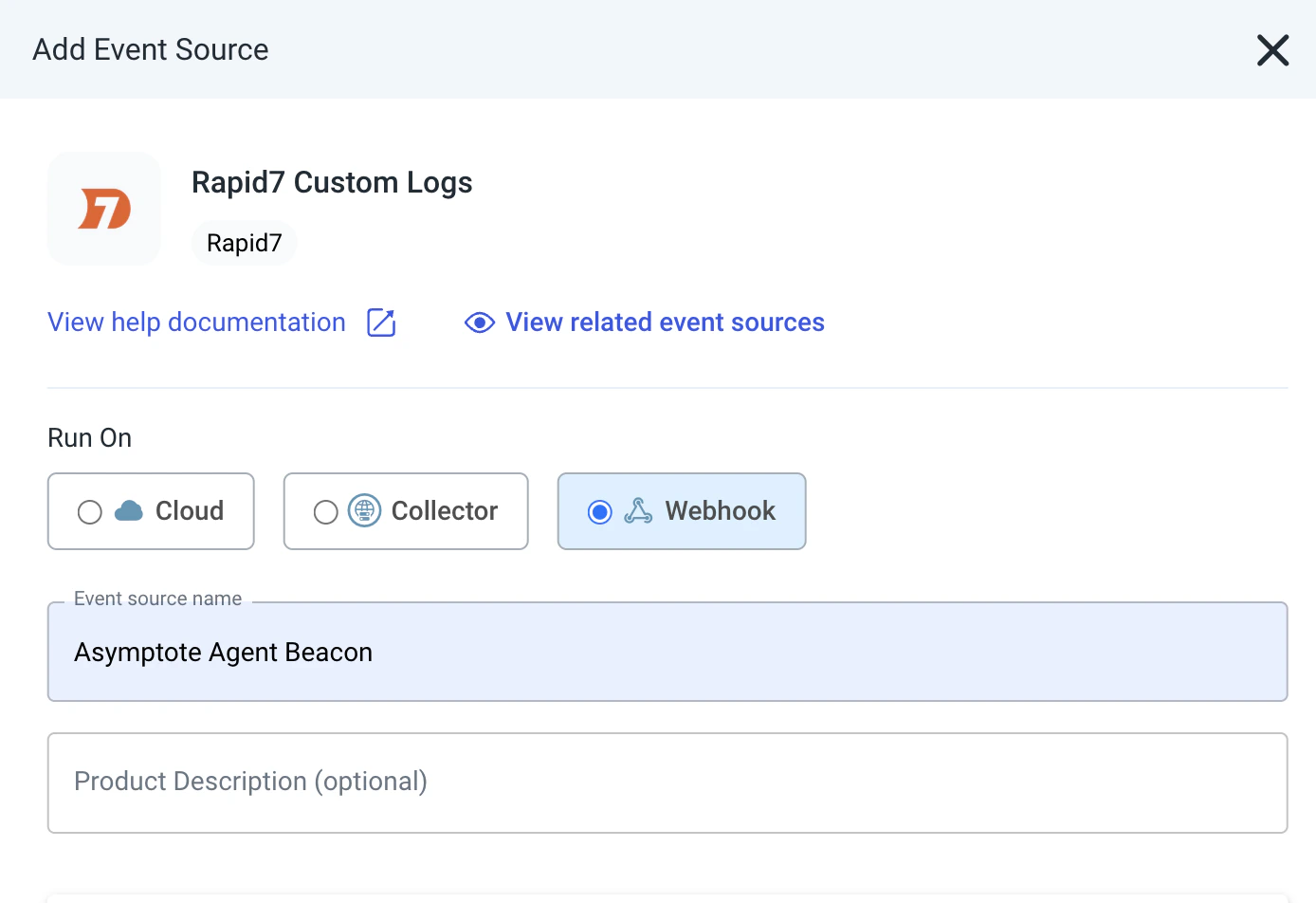
Configure the Custom Logs source with the Webhook collection method.
Install the Rapid7 pack
Generate the Rapid7 content pack for a managed system-mode deployment:Generate the Rapid7 content pack for a managed system-mode deployment
README.mdwith setup and validation stepsrapid7-upload-smoke-test.shfor one-shot NDJSON validation uploadsvector.tomlfor customer-managed Vector forwardingsample-event.jsonlwith Beacon endpoint sample events
--log-path /path/to/runtime.jsonl. The generated rapid7-upload-smoke-test.sh and vector.toml use the selected path.
One-shot smoke test
Use the generated smoke-test script to upload the current runtime log once. This is only for validation because it re-uploads the whole file every time.Command example
You can override the Beacon log path
Content-Type: application/x-ndjson and preserves one Beacon event per line. Rapid7 InsightIDR Custom Logs treats each NDJSON line as an individual event.
Production forwarding
For production, use the generated Vector config as a customer-managed host-agent forwarding template. Beacon remains the local JSONL producer; Vector tailsruntime.jsonl, checkpoints file offsets in its data_dir, batches Beacon events, and posts newline-delimited JSON to the Rapid7 Custom Logs webhook.
Install Vector using your normal endpoint management tooling, then copy the generated config into Vector’s config directory. On a macOS system-mode Beacon deployment, the generated config tails /var/log/beacon-agent/runtime.jsonl:
Install Vector using your normal endpoint management tooling, then copy the generated config into Vector's config directory. On a macOS system-mode Beacon deployment, the generated config tails /var/log/beacon-agent/runtime.jsonl
RAPID7_WEBHOOK_URL through the Vector service environment or your MDM/secret tooling. Do not store Rapid7 webhook URLs in Beacon endpoint configuration.
The template expects a Vector version with the file source, remap transform, and http sink. It parses each Beacon JSONL line and re-encodes the original Beacon event as JSON with newline-delimited framing so Rapid7 receives one Beacon event per line, without a Vector wrapper.
If you adapt the config or use another forwarder, it should:
- Checkpoint file offsets.
- Follow Beacon’s local file rotation at the active
runtime.jsonlpath. - Keep each Beacon event as one JSON object per line.
- Batch newline-delimited JSON records.
- Send
Content-Type: application/x-ndjson. - Retry transient failures without duplicating the whole file.
- Keep the Rapid7 webhook URL outside Beacon endpoint configuration.
Validate forwarding
Confirm the Beacon runtime log exists and has recent endpoint events:Confirm the Beacon runtime log exists and has recent endpoint events
Write a Rapid7 validation event
Content handling
Beacon applies redaction, sanitization, truncation, and event-size limits before events are written toruntime.jsonl and forwarded to Rapid7. Review event source access, retention, and downstream consumers so retained telemetry matches your approved collection policy.
Related
beacon endpoint rapid7
Review Rapid7 command syntax, flags, and examples.
Log forwarding
Review forwarding patterns across Wazuh, Splunk HEC, Falcon LogScale, Elastic, Datadog, Sumo Logic, Rapid7, and customer-managed pipelines.
Endpoint event schema
Review normalized Beacon JSONL fields and example events.
Agent harness integrations
Review supported agent harnesses, deployment modes, storage, and forwarding.